Flora
Terrain Layer Flora Guide
by Horris
Tested all of the below on a 1.6km x 1.6km map, just to see the differences on a larger scale using larger numbers. On small patches it is really hard to figure out what these individual settings do I've found out.
Everything below is explained with trees as an example, but works the same for grass, rocks, etc.
Colony
Is a group of trees
Density
How close individual trees are together within a colony.
Seed
Different seeds cause different noise patterns to be generated.
Can be helpful to slightly adjust the tree placements if clipping with rocks occur for example. Or you simply don't like the current arrangement's looks.
Another use case for it is if you are combining different tree types for example, and want the colonies to either overlap in the exact same location, or not overlap and not mix as much.
- Same seed = colony locations overlap exactly
- Different seed = colony locations are different
Colony Radius
Distance between groups of trees
lower value = less distance between groups of trees
Colony Threshold
Size of every single group of trees.
lower value = bigger groups
It can seem as if it also creates new colonies, but it doesn't. It sometimes looks like trees spawn in new places, but that position is already part of an existing colony, however small it might be.
Colonies can be made to overlap one another if the threshold is set low enough, combined with a low enough colony radius.
Size min/Size max
Minimal and maximal sizes of the individual trees you are placing
Weight
Affects areas where you have only lightly applied the terrain layer.
It determines whether colonies can spawn when only a light layer of terrain is applied.
Usually around edges of your terrain, where it blends into other terrain.
Or where you quickly 'painted' over another layer and can still see the layer below it through the top one.
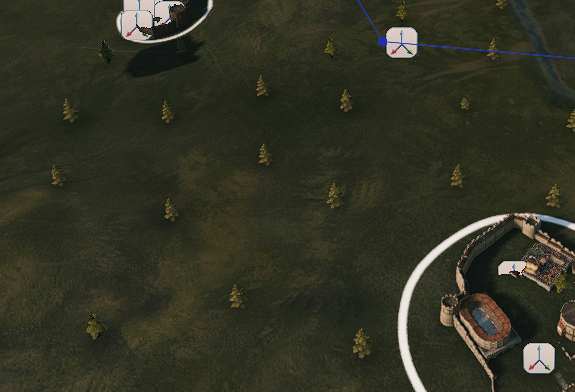
Wide spacing for trees on the world map
Problems with: map_pine_a, map_pine_b, map_pine_c, worldmap_tree_acacia_01, worldmap_tree_beech_01, worldmap_tree_high_01,worldmap_tree_aspen_01
1.2.12
(When drawn using paint layers)
I'm struggling with flora paint layer forests. However, I change the density, colony radius, colony threshold and weight, I can't get trees close enough.
This happens when the map is saved under the custom name.
Save/load your map as "Main_map" and spacing will be OK.
1.3.1
Renaming to Main_map does not help in 1.3.1
In the editor trees are with wide spaces, but in the game they are ok. This does not allow to edit the forests properly in the Editor.
I had to recreate trees in flora_kinds.xml.
Workflow:
- Create
flora_kinds.xmlinYOUR_MOD/ModuleData - Copy flora you are using in your layers from
Native/ModuleData/flora_kinds.xml - Rename them
- Set flags like this (it seems tree=true is the problematic flag in the original flora configuration)
- Restart the Editor so it will see your new flora
- Change in the layers the flora to your duplicates
After this what you see in the Editor is the same what you get in the Game.
Fix grass
If grass is standing like this in the scene:
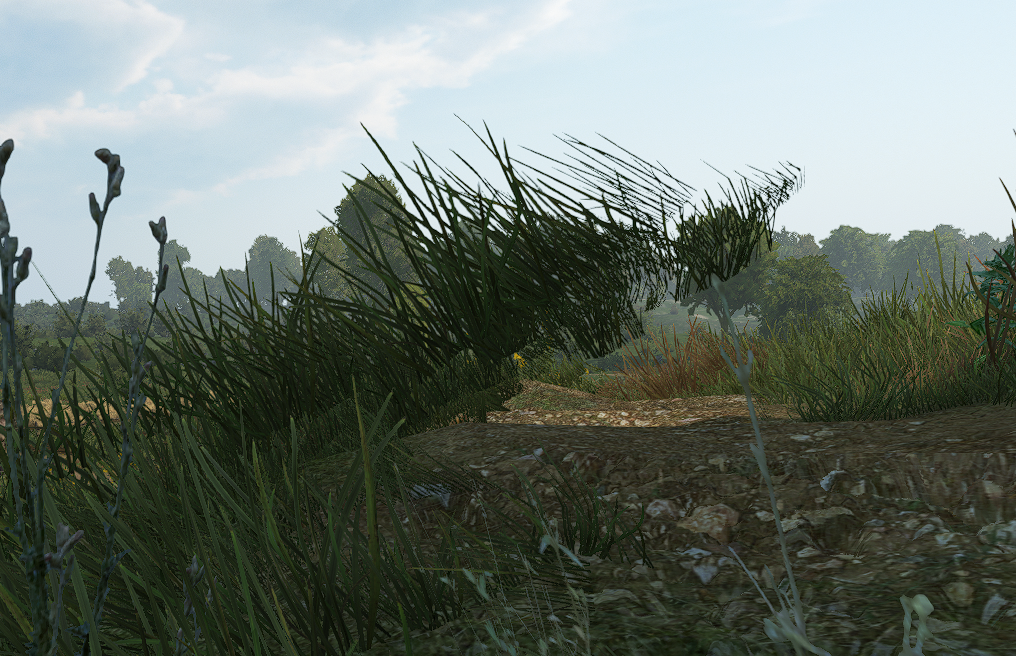
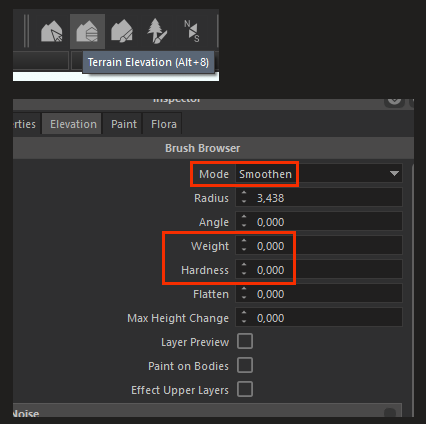
Sellect Terrain Elevation Alt+8, Mode: Smoothen, Weight and Hardness to 0.00:
And tap anywhere on the ground:
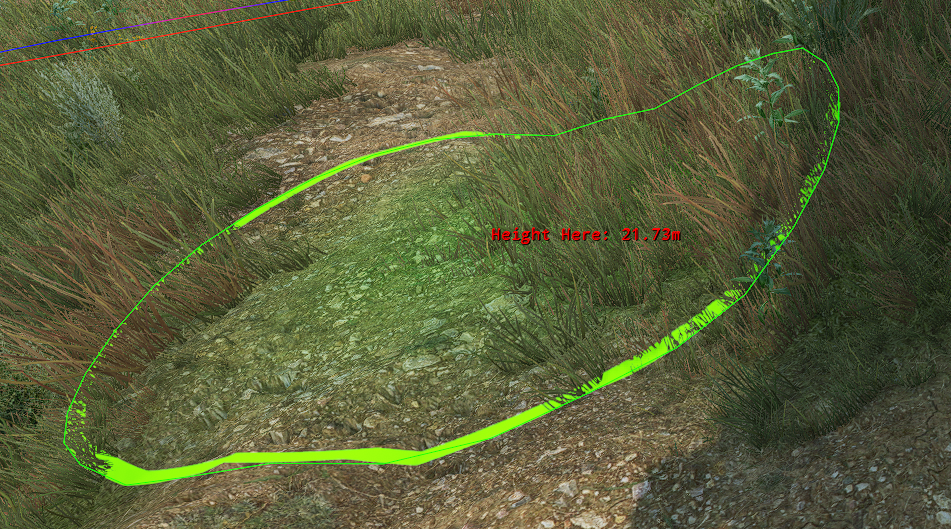
Save the scene.