dnSpy
.NET debugger and assembly editor
Download
Guides
Setup
What DLLs to Open
- M&B/bin/Win64_Shipping_Client - all DLLs that start with TaleWorlds...
- M&B/Modules/Native/bin/Win64_Shipping_Client - all DLLs
- M&B/Modules/Sandbox/bin/Win64_Shipping_Client - all DLLs
- M&B/Modules/NavalDLC/bin/Win64_Shipping_Client - all DLLs (DLC)
How to attach dnSpy to Bannerlord and catch the exception
- Launch the Bannerlord launcher (not the game itself!)
- Run dnSpy
- In dnSpy, choose the command Debug - Attach to process...
- Select the process corresponding to Bannerlord, then click Attach to confirm
- If all goes well, you will see a "Running..." status confirming that dnSpy is attached to the Bannerlord process
- Start the game. Play until a critical error occurs
- You will see an error message on the screen
Source with pictures here by LogRaam
1.3+
Add /no_watchdog to the Steam
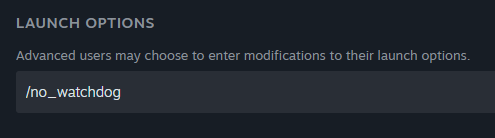
Attach dnSpy not in the Launcher but when game is in the main menu state.
Dejan
We have also made these two modding related changes with v121, for anyone interested:
Added the ability to detach the crash dump upload system (watchdog) at runtime via Utilities.DetachWatchdog routine.
Added a command line functionality "no_watchdog" which prevents the game from initializing the system.
Not working breakpoints

In the module's .csproj file make sure you have
and not
or anything else. Recompile and should be ok.
Crash on the game start
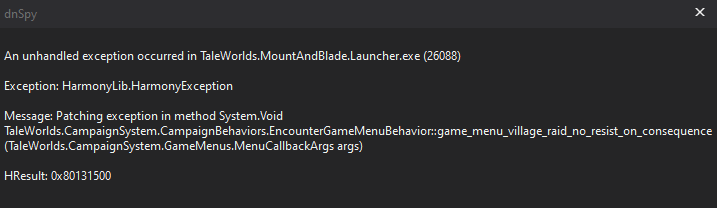
Bad prefix/postfix argument:
What is interesting, game runs fine if not dnSpy attached.
Crash only when attached to the dnSpy.
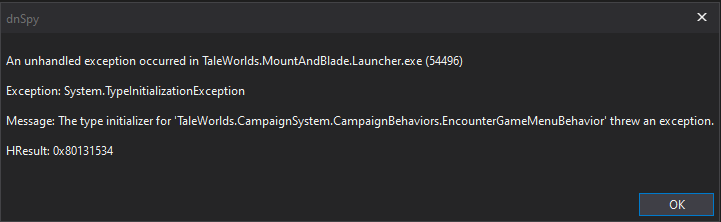
The cause is RTS Camera mod. Disable it and game will start.
IL Instructions / OpCodes